

Only team admins can open this tab.
- With a subdomain: the default configuration is offered automatically to anyone signing in on that subdomain.
- Without a subdomain: no configuration can be offered automatically — members sign in through the Login URL instead.
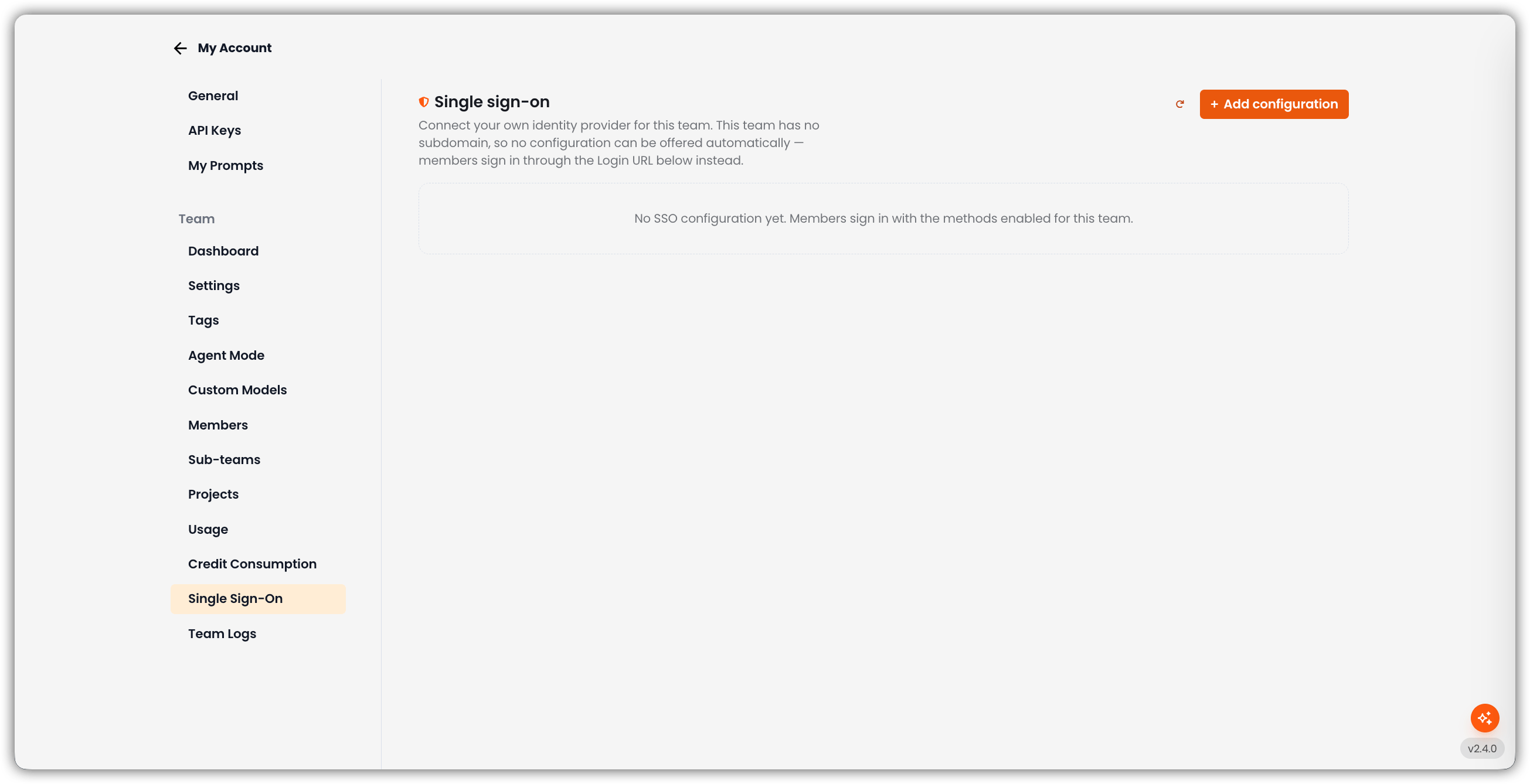
Empty State
If there is no configuration yet: No SSO configuration yet. Members sign in with the methods enabled for this team. Use + Add configuration to create one. Refresh reloads the list.Team SSO vs. Platform SSO
Team SSO configurations live separately from the app-wide SSO path so they are not mixed up with platform providers.
Add a Configuration
1
Click Add Configuration
The New SSO configuration form opens on the page.
2
Fill in the Fields
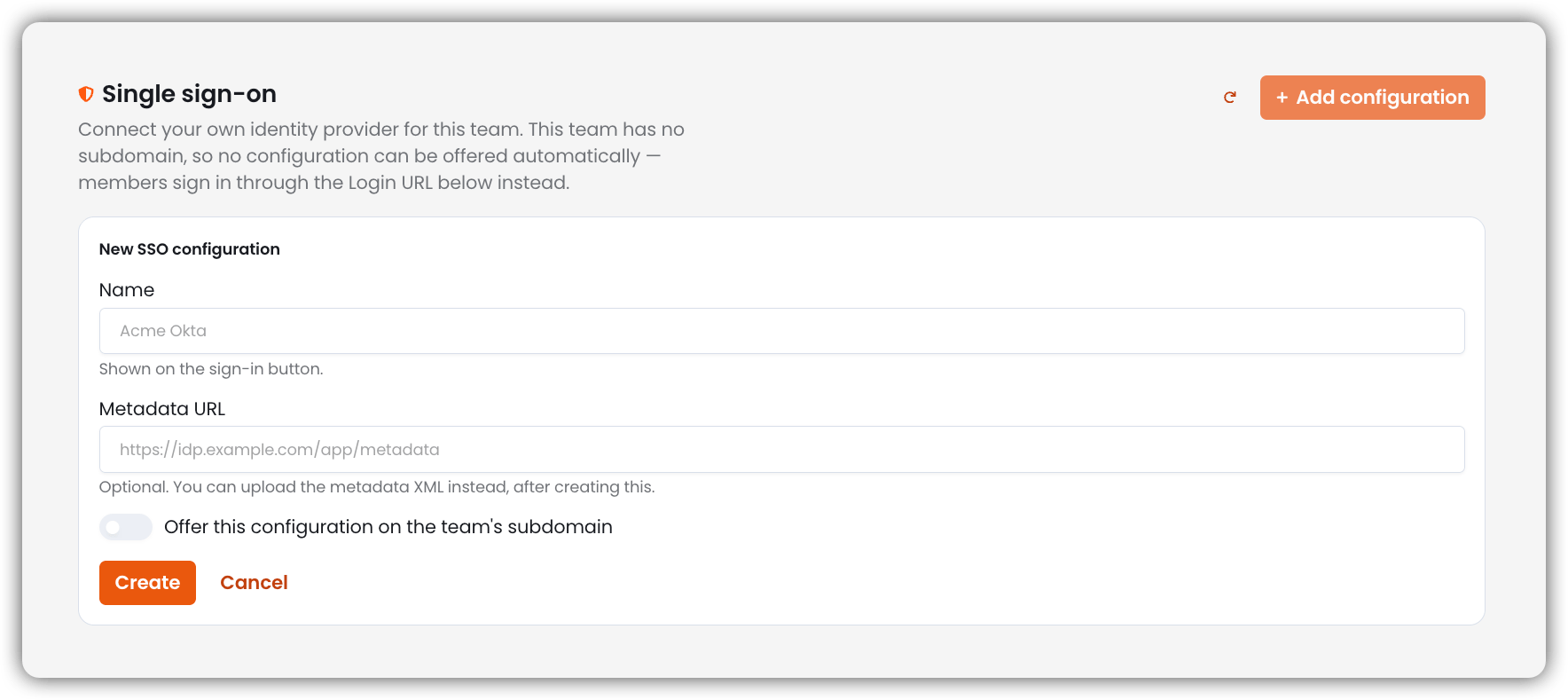
3
Create
Click Create. Cancel closes the form without saving.
After You Create a Configuration
Copy these values into your IdP:
Each configuration gets its own ACS URL and audience so two teams pointing at the same IdP cannot replay one another’s assertions.
You can then:
- Edit Name and Metadata URL
- Upload metadata XML (or Replace metadata XML)
- Toggle Enabled
- Use on this team’s subdomain to make this the default (promoting one demotes the previous default)
- Delete the configuration
Subdomain Behavior
Subdomains for child teams are managed from Sub-teams.
Who Can Manage Team SSO
Related
- Sub-teams
- Team Settings (SSO-only login and domain auto-add)
- Platform SSO